> ## Documentation Index
> Fetch the complete documentation index at: https://docs.jiekou.ai/llms.txt
> Use this file to discover all available pages before exploring further.
# DeepChat
DeepChat is an enterprise-grade intelligent conversation platform. Built on advanced large language model (LLM) technology, it provides users with a smooth and natural conversational experience.
It focuses on providing solutions for the following scenarios:
* Personal knowledge management: Integrate personal documents, notes, and knowledge to enable intelligent Q\&A and content generation.
* Enterprise knowledge base: Connect internal enterprise knowledge resources and provide team members with intelligent information retrieval.
* Custom conversation scenarios: Create conversation experiences tailored to specific domains through flexible model configuration and prompt engineering.
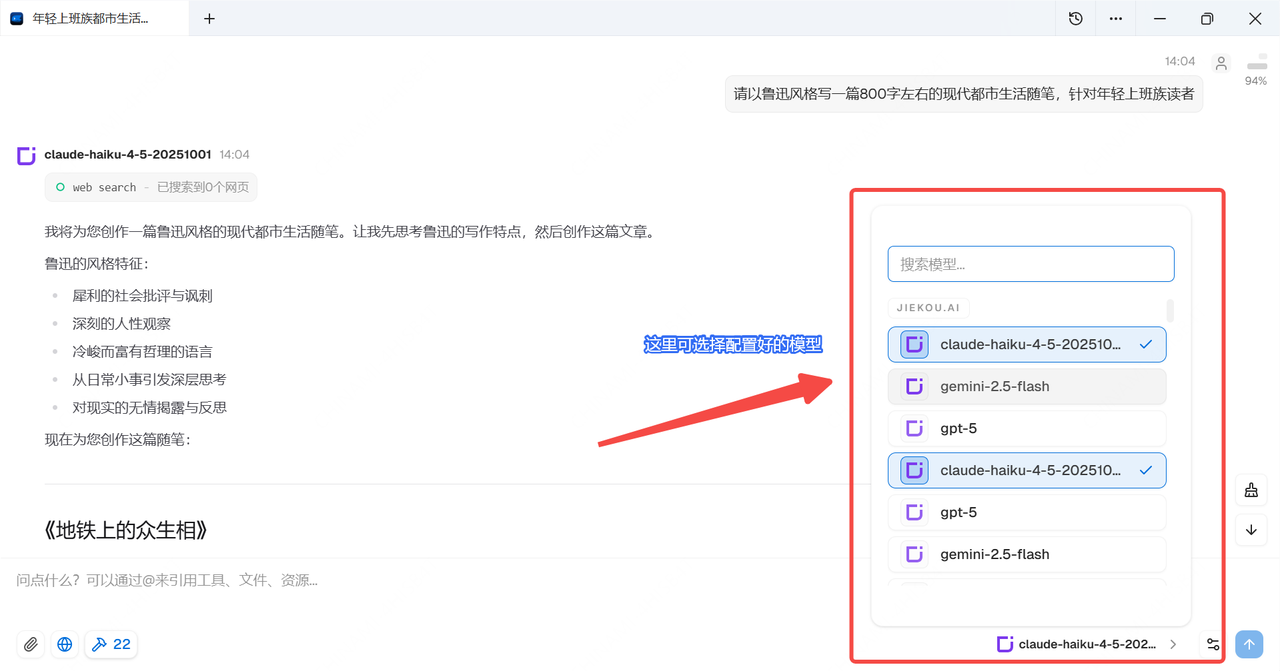
By integrating with JieKou.AI, you can easily access a variety of domestic and international large models, including Claude-haiku-4-5, Gemini-2.5-flash, Gpt-5, and other compatible models, with greater flexibility and scalability.
In just 1 minute, this guide will help you easily configure JieKou.AI × DeepChat.
# JieKou.AI × DeepChat Configuration Tutorial
## Prerequisites
### (1) Register and obtain an API key
Register and log in to JieKou.AI. Enter the invitation code 【YGHNZ0】 during registration to receive a \$2 registration bonus.
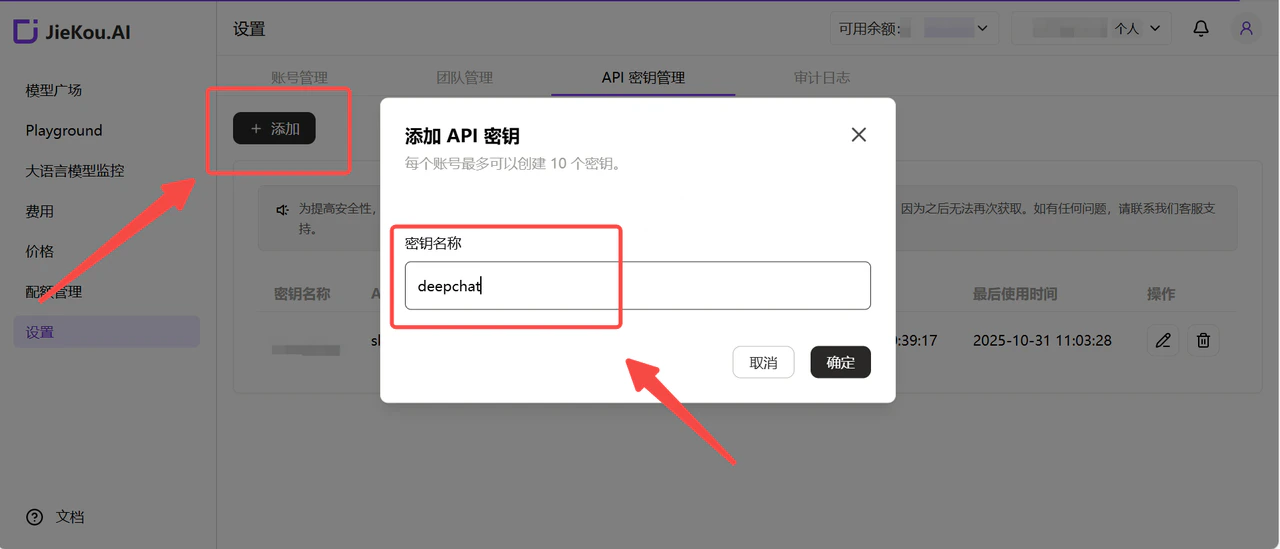
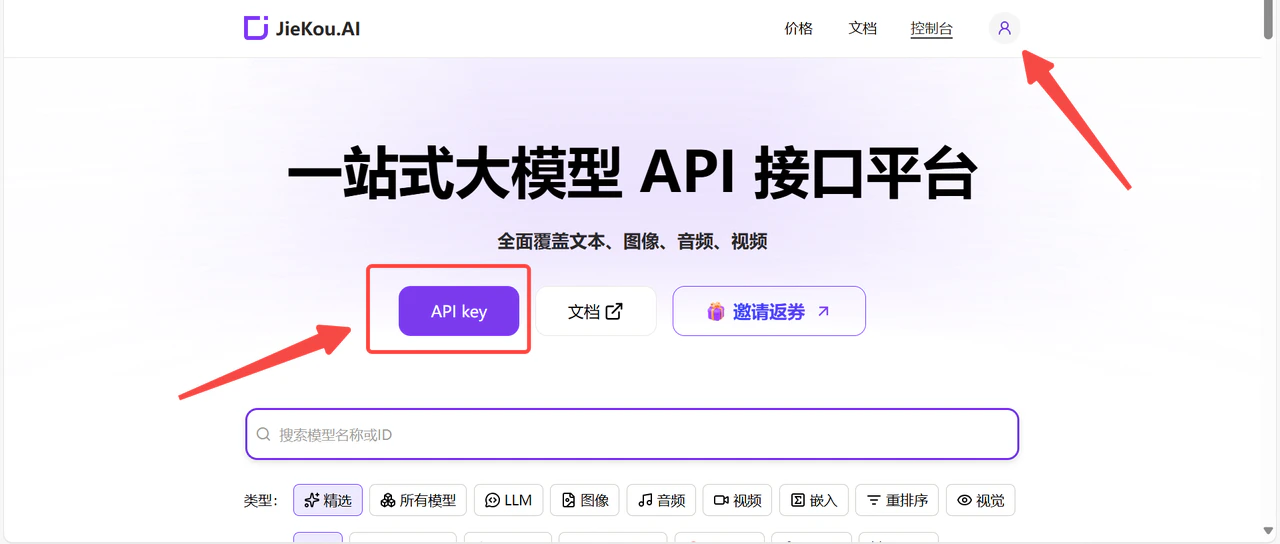 Open the 【API key】 management page, click the add button, enter a custom key name, and generate an API key.
 ### (2) Generate and save the API key
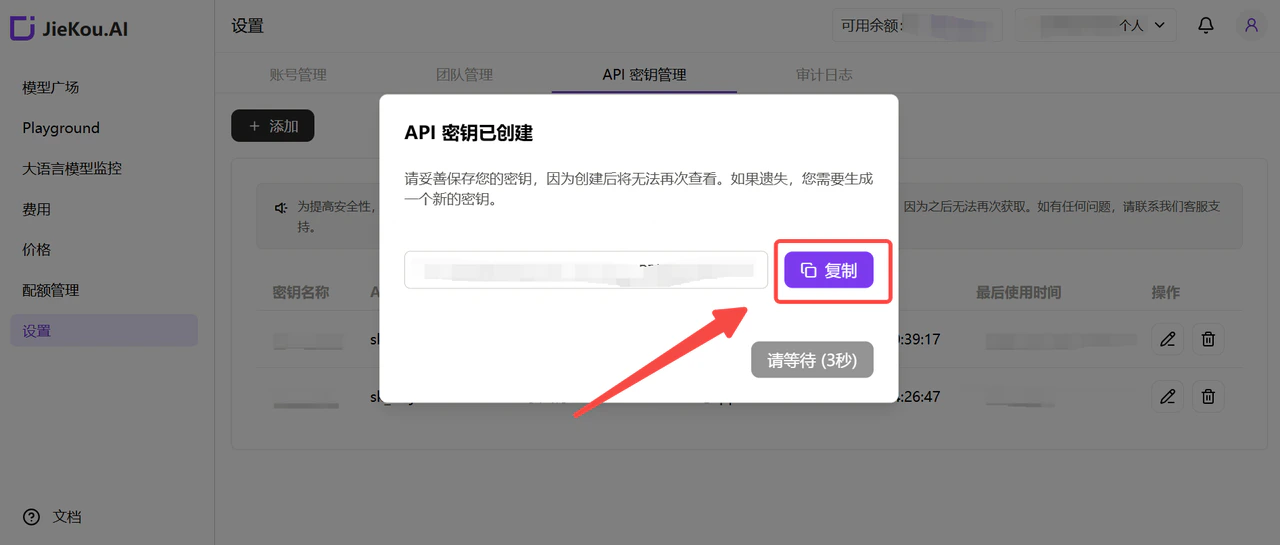
!Note: The key is encrypted and stored on the server. After creation, it cannot be viewed again. Please keep the key safe. If it is lost, you need to delete it in the console and create a new key.
### (2) Generate and save the API key
!Note: The key is encrypted and stored on the server. After creation, it cannot be viewed again. Please keep the key safe. If it is lost, you need to delete it in the console and create a new key.
 ### (3) Obtain the model ID you want to use
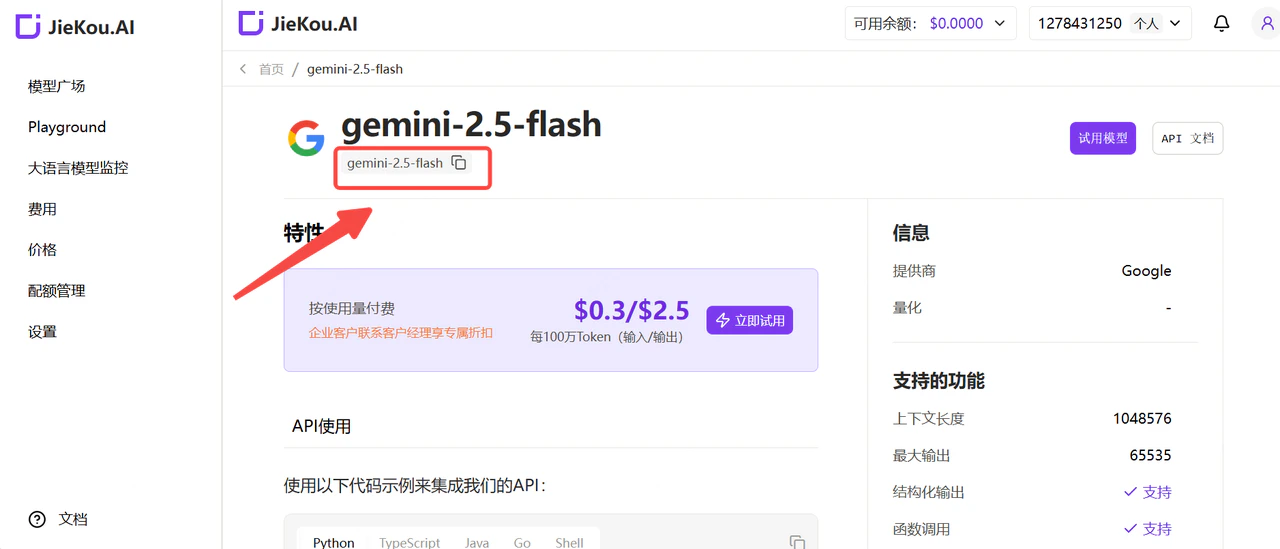
Find the model you want to use in the JieKou.AI Model Marketplace and copy the model ID.
### (3) Obtain the model ID you want to use
Find the model you want to use in the JieKou.AI Model Marketplace and copy the model ID.
 * Claude-sonnet-4-5
* Gpt-5
* Gpt-4o
* Gemini-2.5-pro
For other model IDs, maximum context lengths, and pricing, please refer to: Model Marketplace
## Software Configuration and Usage
### (1) Download and configure the provider
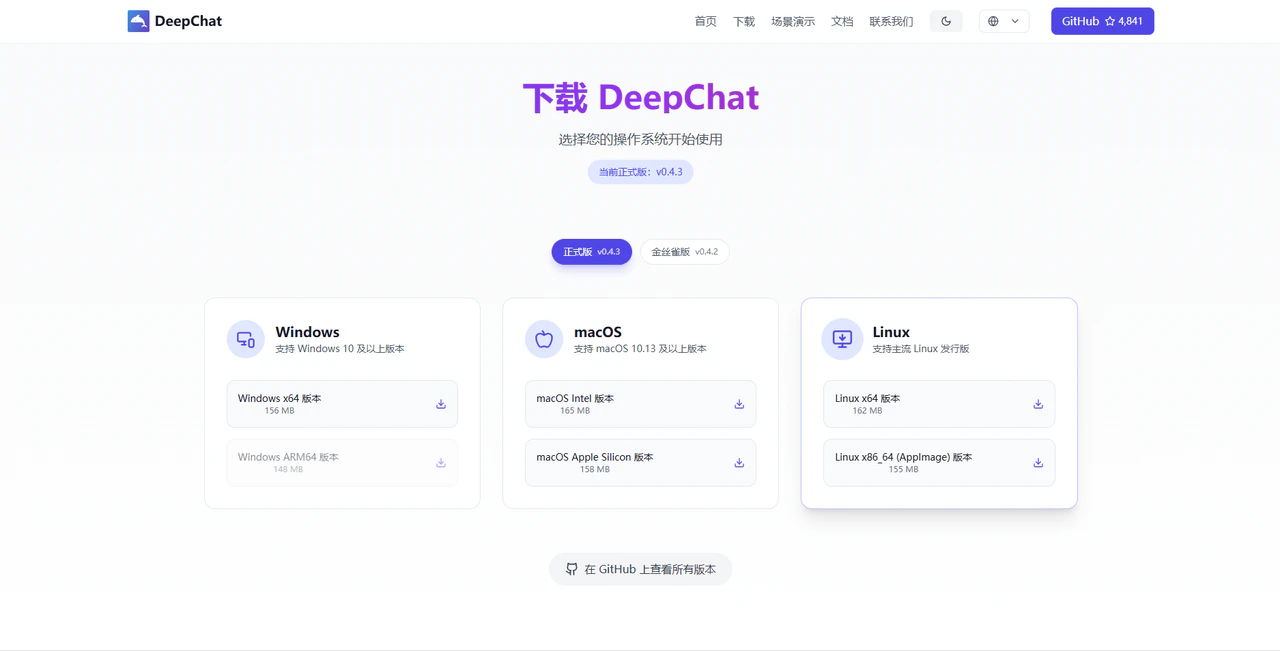
Go to the DeepChat official website, then download and install the software.
* Claude-sonnet-4-5
* Gpt-5
* Gpt-4o
* Gemini-2.5-pro
For other model IDs, maximum context lengths, and pricing, please refer to: Model Marketplace
## Software Configuration and Usage
### (1) Download and configure the provider
Go to the DeepChat official website, then download and install the software.
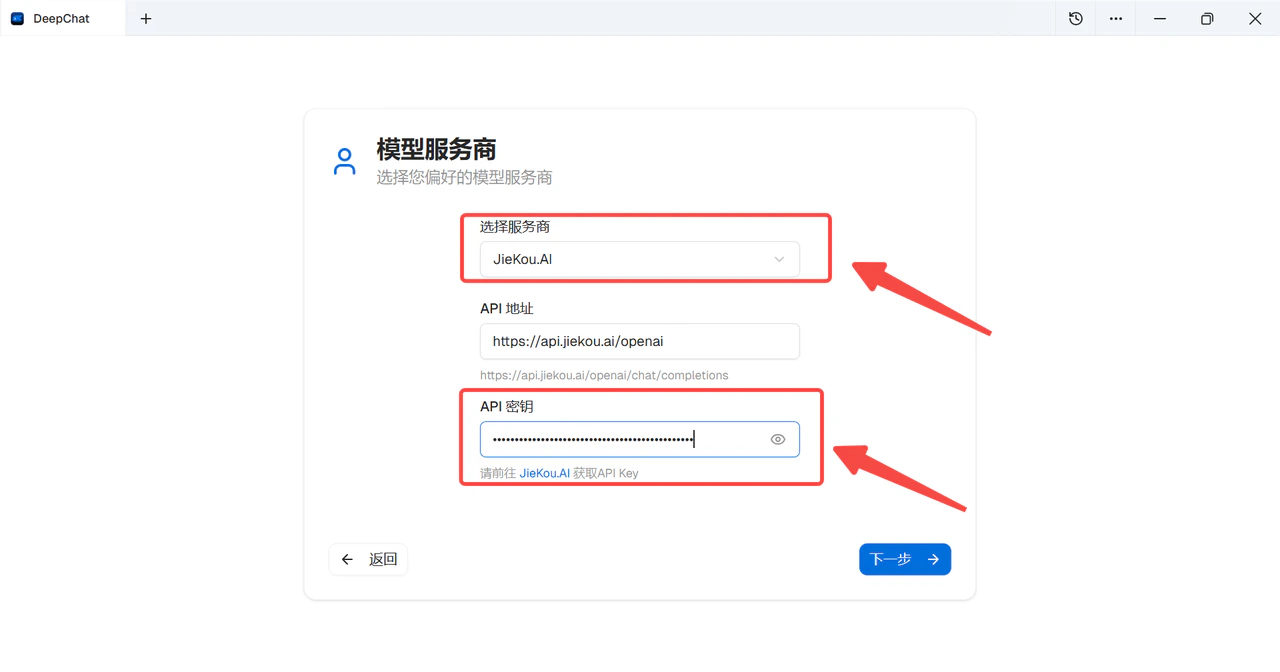
 Open the software. In 【Select provider】, enable the 【JieKou.AI】 option, and paste the previously copied API key into the 【API Key】 input box.
 ### (2) Configure the required model to start chatting
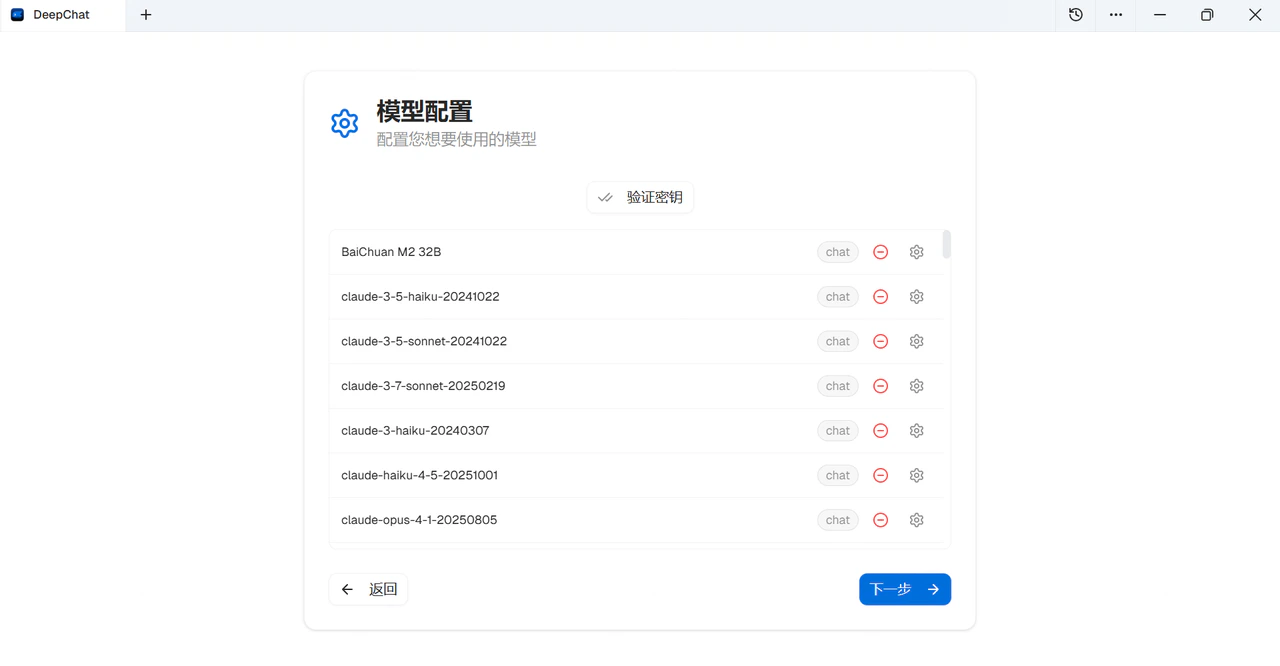 In DeepChat 【Provider Settings】, select JieKou.AI and configure the model list. Select 【Add Model】, enter the model ID, and click confirm.
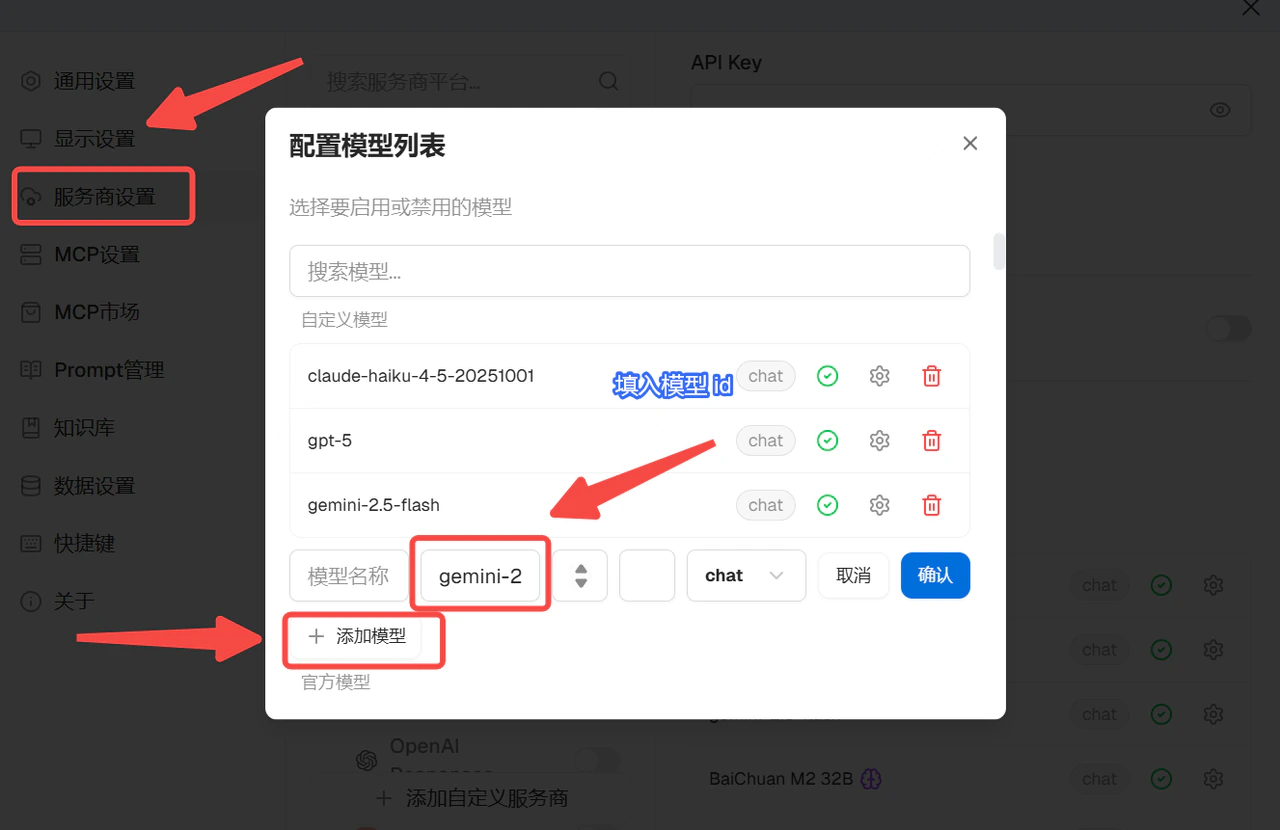 Now you can freely use overseas large models in DeepChat!