> ## Documentation Index
> Fetch the complete documentation index at: https://docs.jiekou.ai/llms.txt
> Use this file to discover all available pages before exploring further.
# DeepSearcher
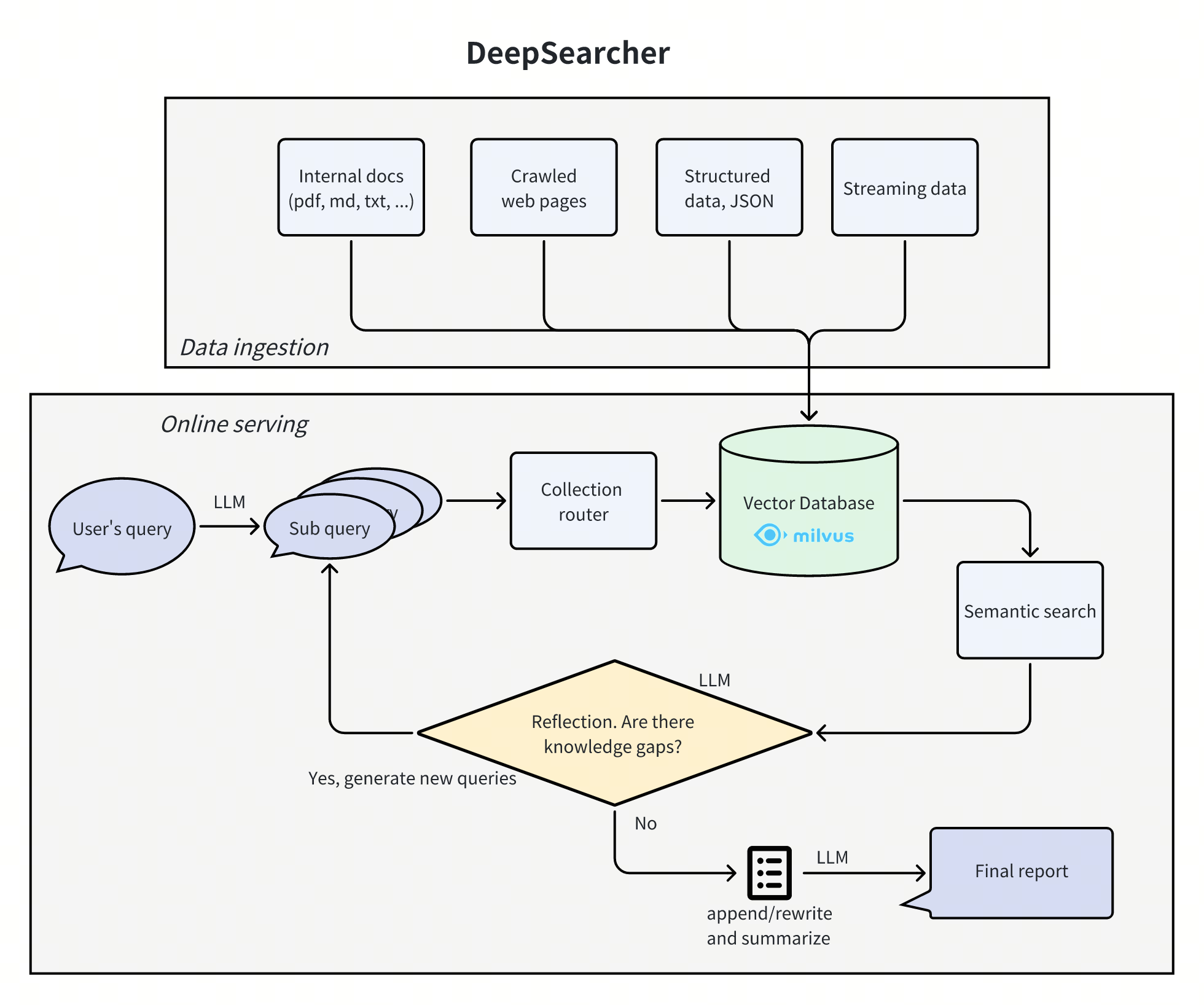
DeepSearcher は、最先端の LLM(OpenAI o1、o3-mini、DeepSeek、Grok 3、Claude 4 Sonnet、Llama 4、QwQ など)とベクトルデータベース(Milvus、Zilliz Cloud など)を組み合わせ、プライベートデータに基づいて検索、評価、推論を実行し、高精度な回答と包括的なレポートを提供します。
**特に適しています:** エンタープライズナレッジ管理、インテリジェントQ\&Aシステム、情報検索シナリオ。
 ## 1.JieKou.AI 設定情報の取得
### (1)API キー登録の取得
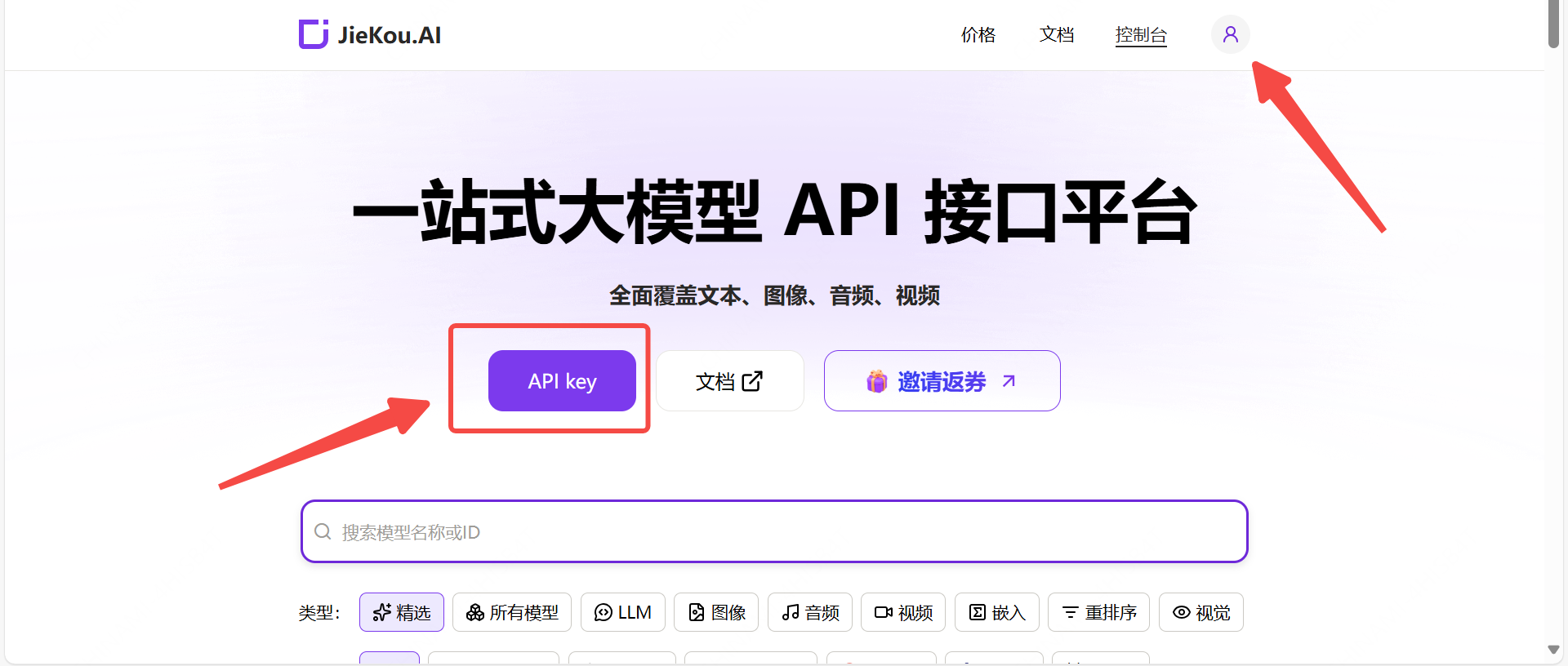
JieKou.AI に登録してログインします。登録時に招待コード【YGHNZ0】を入力すると、\$2 の登録特典を獲得できます。
## 1.JieKou.AI 設定情報の取得
### (1)API キー登録の取得
JieKou.AI に登録してログインします。登録時に招待コード【YGHNZ0】を入力すると、\$2 の登録特典を獲得できます。
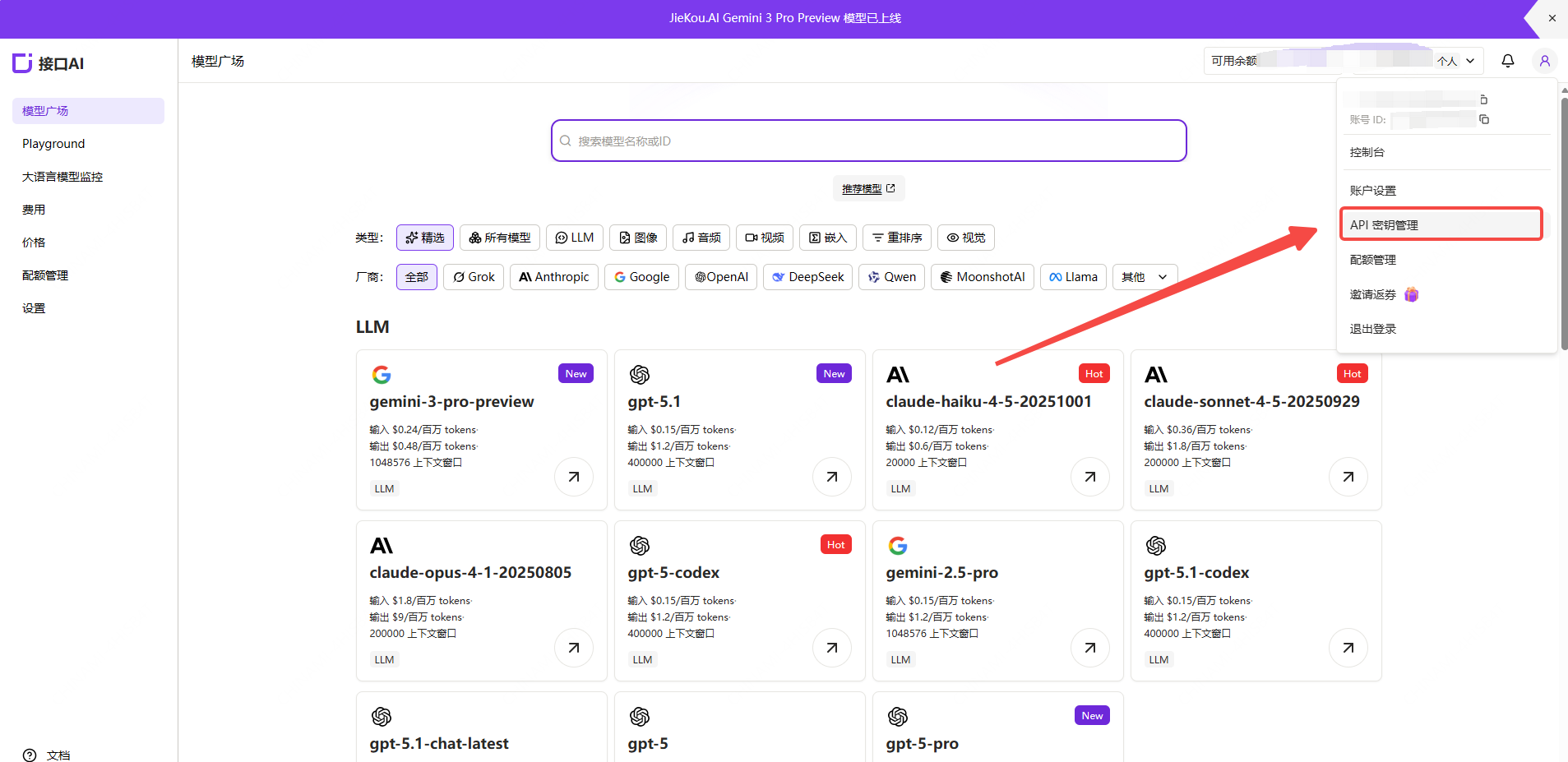
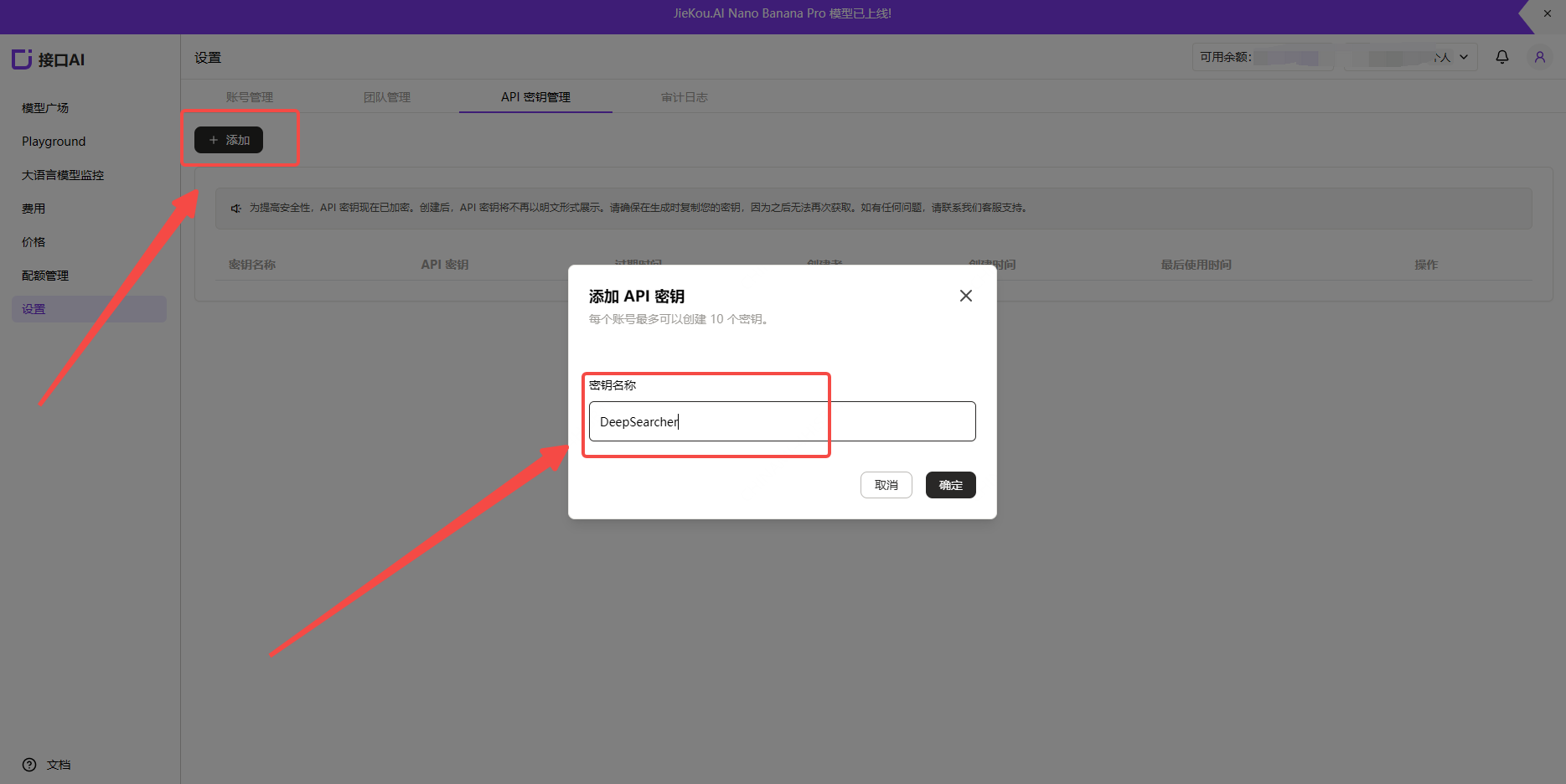
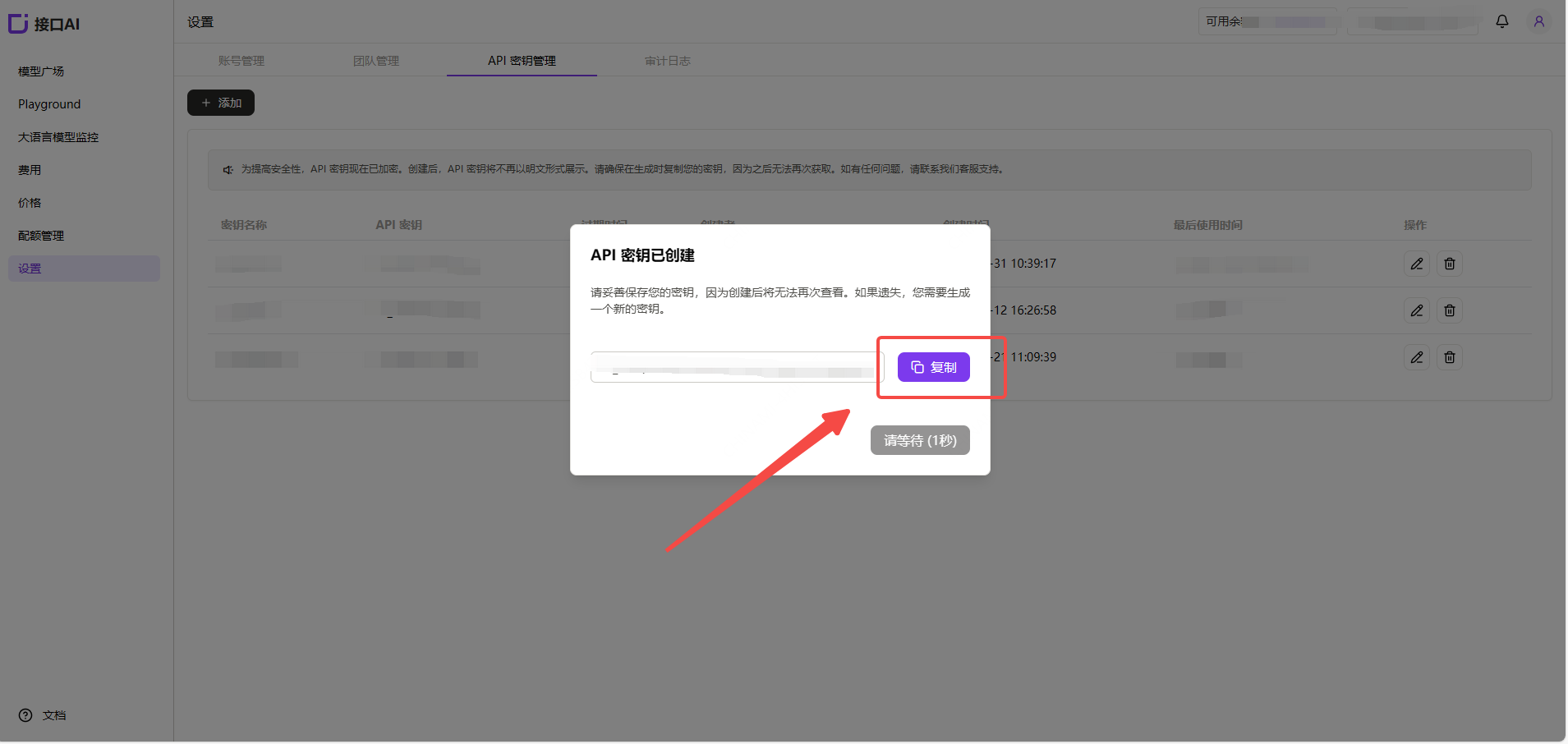
 【API key】管理ページを開き、追加ボタンをクリックして、任意のキー名を入力し、API キーを生成します。
 ### (2)API キーを生成して保存
!注意:キーはサーバー側で暗号化されて保存され、作成後に再度表示することはできません。キーは大切に保管してください。紛失した場合は、コンソールで削除して新しいキーを作成する必要があります。
### (2)API キーを生成して保存
!注意:キーはサーバー側で暗号化されて保存され、作成後に再度表示することはできません。キーは大切に保管してください。紛失した場合は、コンソールで削除して新しいキーを作成する必要があります。
 ### (3)使用するモデル ID の取得
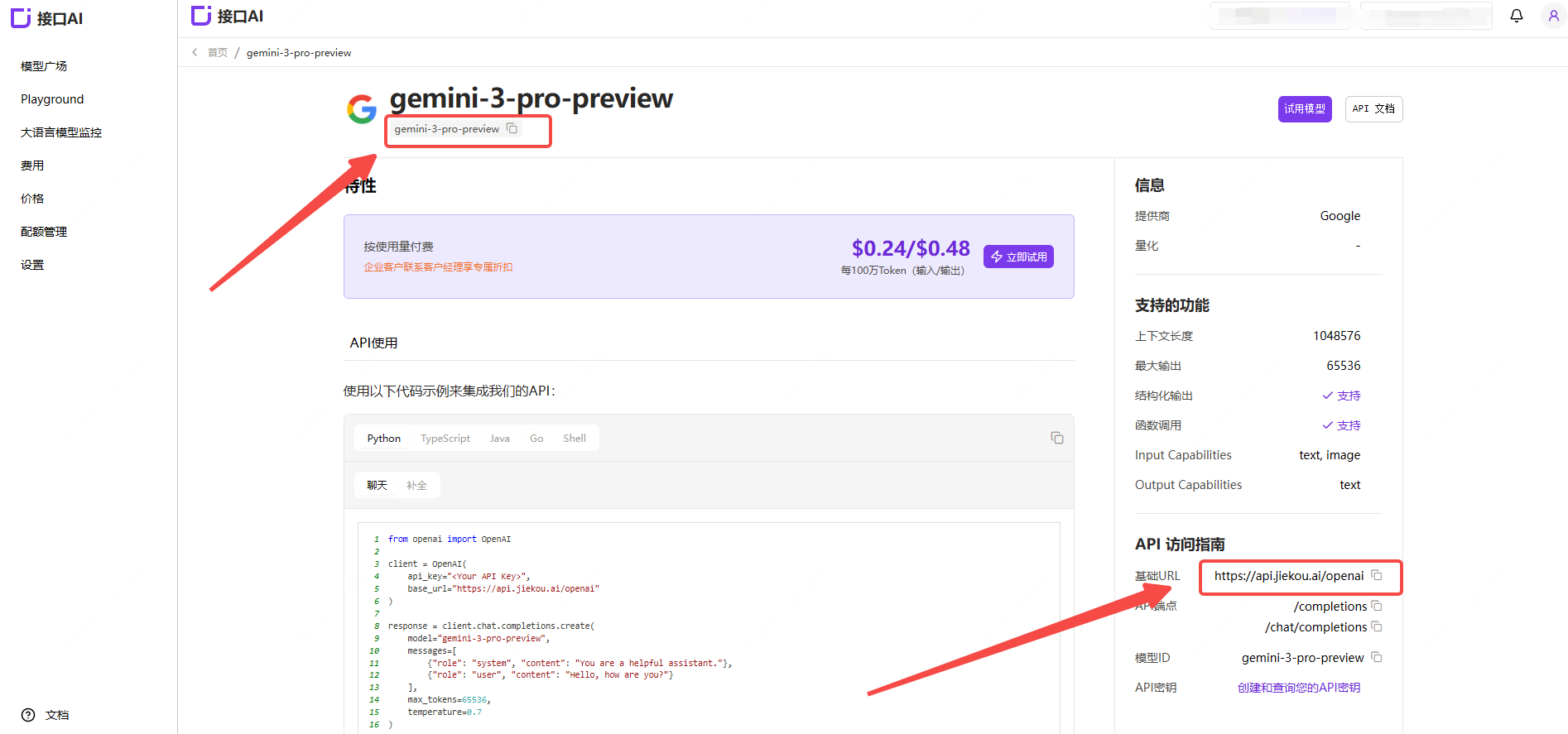
JieKou.AI のモデル広場で使用したいモデルを見つけ、モデルidとベースURLをコピーします。
### (3)使用するモデル ID の取得
JieKou.AI のモデル広場で使用したいモデルを見つけ、モデルidとベースURLをコピーします。
 * Gemini-3-pro-preview
* Gemini-2.5-pro
* Claude-sonnet-4-5
* Gpt-5.1
* Gpt-4o
その他のモデルID、最大コンテキスト、価格については、[モデル広場](https://jiekou.ai/models-console/library?auth_res=success\&is_reg=false)を参照してください。
## 2.DeepSearcher のインストール
具体的なインストールガイドは、[https://github.com/zilliztech/deep-searcher](https://github.com/zilliztech/deep-searcher)を参照してください。
(1)リポジトリをクローン
```
git clone https://github.com/zilliztech/deep-searcher.git
cd deep-searcher
```
(2)仮想環境を作成して有効化
```
#MAKE SURE the python version is greater than or equal to 3.10
python3 -m venv .venv
source .venv/bin/activate
```
(3)依存関係をインストール
```
pip install -e .
```
## 3.サンプルコードを変更して JieKou.AI モデルに接続
サンプルコードは `examples/basic_example.py` にあります。このサンプルを使用して DeepSearcher を実行できます。
(1)API Key の設定
先ほど取得した API Key をローカル環境変数 `JIEKOU_API_KEY` に設定します。
```
export JIEKOU_API_KEY="YOUR_JIEKOU_API_KEY"
```
(2)LLM と Embedding モデルの設定
サンプルコードの `config = Configuration()` という行の後にコードを追加します。
```
config.set_provider_config("llm", "JiekouAI", {"model": "claude-sonnet-4-5-20250929"})
config.set_provider_config("embedding", "JiekouAIEmbedding", {"model": "qwen/qwen3-embedding-8b"})
```
(3)検索対象のファイルパスと prompt の設定
指定したローカルパスからファイルを読み込み、その内容をコレクションに保存します。`load_from_local_files` を呼び出している箇所のコードを変更します。プロジェクトが提供する `examples/data/WhatisMilvus.pdf` ファイルを使用することも、自分のファイルを使用することもできます。実行時にそのコレクションを削除して再作成する必要がある場合は、`force_new_collection` を `True` に設定します。
```
load_from_local_files(
paths_or_directory=os.path.join(current_dir, "data/WhatisMilvus.pdf"),
collection_name="milvus_docs",
collection_description="All Milvus Documents",
force_new_collection=True, # If you want to drop origin collection and create a new collection every time,set force_new_collection to True
)
question="Write a report comparing Milvus with other vector databases."
```
(4)サンプルコードの実行。プロジェクトのルートディレクトリで実行します:
```
python examples/basic_example.py
```
* Gemini-3-pro-preview
* Gemini-2.5-pro
* Claude-sonnet-4-5
* Gpt-5.1
* Gpt-4o
その他のモデルID、最大コンテキスト、価格については、[モデル広場](https://jiekou.ai/models-console/library?auth_res=success\&is_reg=false)を参照してください。
## 2.DeepSearcher のインストール
具体的なインストールガイドは、[https://github.com/zilliztech/deep-searcher](https://github.com/zilliztech/deep-searcher)を参照してください。
(1)リポジトリをクローン
```
git clone https://github.com/zilliztech/deep-searcher.git
cd deep-searcher
```
(2)仮想環境を作成して有効化
```
#MAKE SURE the python version is greater than or equal to 3.10
python3 -m venv .venv
source .venv/bin/activate
```
(3)依存関係をインストール
```
pip install -e .
```
## 3.サンプルコードを変更して JieKou.AI モデルに接続
サンプルコードは `examples/basic_example.py` にあります。このサンプルを使用して DeepSearcher を実行できます。
(1)API Key の設定
先ほど取得した API Key をローカル環境変数 `JIEKOU_API_KEY` に設定します。
```
export JIEKOU_API_KEY="YOUR_JIEKOU_API_KEY"
```
(2)LLM と Embedding モデルの設定
サンプルコードの `config = Configuration()` という行の後にコードを追加します。
```
config.set_provider_config("llm", "JiekouAI", {"model": "claude-sonnet-4-5-20250929"})
config.set_provider_config("embedding", "JiekouAIEmbedding", {"model": "qwen/qwen3-embedding-8b"})
```
(3)検索対象のファイルパスと prompt の設定
指定したローカルパスからファイルを読み込み、その内容をコレクションに保存します。`load_from_local_files` を呼び出している箇所のコードを変更します。プロジェクトが提供する `examples/data/WhatisMilvus.pdf` ファイルを使用することも、自分のファイルを使用することもできます。実行時にそのコレクションを削除して再作成する必要がある場合は、`force_new_collection` を `True` に設定します。
```
load_from_local_files(
paths_or_directory=os.path.join(current_dir, "data/WhatisMilvus.pdf"),
collection_name="milvus_docs",
collection_description="All Milvus Documents",
force_new_collection=True, # If you want to drop origin collection and create a new collection every time,set force_new_collection to True
)
question="Write a report comparing Milvus with other vector databases."
```
(4)サンプルコードの実行。プロジェクトのルートディレクトリで実行します:
```
python examples/basic_example.py
```